Singapore Plaza
Saddar Rawalpindi
+92-300-851-2288
Next day dispatch
Mon - Sun
11 AM - 10 PM
Online shop open 24/7
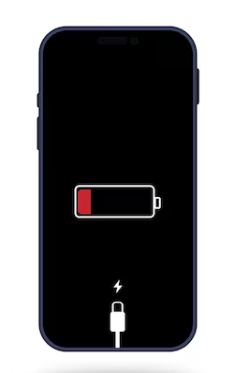
Smartphone batteries have become more powerful over the years, yet many users still face the issue of fast battery drain. Whether you’re using a high-end iPhone or a budget Android device, battery life problems are one of the most common complaints. If you’re tired of your phone dying before the day ends, this guide will help you understand the causes and how to fix them.
Apps running in the background constantly use up your phone’s processing power and battery. Many social media apps, messaging apps, and even games keep refreshing or tracking your location even when you’re not using them.
Solution:
Go to your phone’s settings and manually restrict background activity for apps like Facebook, Snapchat, TikTok, and Maps. Use the “Battery” section to identify the biggest drainers.
Your display is one of the largest battery consumers. High brightness, longer screen-on times, and animations can significantly reduce battery life.
Solution:
When your phone constantly searches for a signal in areas with weak coverage, it drains your battery faster. Mobile data, especially 4G/5G, uses more power than Wi-Fi.
Solution:
Every smartphone battery has a lifespan. Over time, your battery’s ability to hold charge reduces. If your phone is over 2 years old and drains rapidly, it may be time for a replacement.
Solution:
On iPhones, check battery health under “Settings > Battery > Battery Health & Charging.” For Android, use third-party apps like AccuBattery or visit a service center for diagnostics.
Apps constantly syncing in the background, checking for emails, or sending push notifications can keep your device from resting.
Solution:
Outdated firmware or buggy apps can cause your system to use more resources than necessary. Developers often release updates to fix these issues.
Solution:
Using your phone for heavy tasks like gaming, video streaming, GPS navigation, and camera recording can burn through battery quickly.
Solution:
Both Android and iOS offer built-in battery-saving modes. This restricts background data, reduces performance slightly, and limits certain features.
How to Enable:
GPS is one of the biggest battery drainers. Apps like Google Maps, Uber, or even weather apps can use location data excessively.
Fix:
Many social media apps have “lite” versions (e.g., Facebook Lite, Messenger Lite) that consume less battery and data.
Alternatively, using browser versions of apps instead of full apps can also help. Example: Open Instagram or Twitter in Chrome/Safari instead of the native app.
If software tweaks don’t solve the issue, it could be time to explore hardware-related solutions:
Fast battery drain can turn a great smartphone experience into a frustrating one. But understanding the causes—from background apps and display brightness to old battery health—can help you fix the issue and enjoy longer screen time.
Whether you’re using a flagship iPhone, a mid-range Samsung, or an entry-level Xiaomi, these practical fixes will help extend your battery life. Make small tweaks today and see big results tomorrow.
#BatteryDrainFix #PhoneBatteryTips #BatterySaving2025 #SmartphoneBatteryIssue #MobileBatteryHealth #BatteryLifeFix #BatterySavingMode #ReduceBatteryDrain #MobileUsageTips #PTAPhoneBattery