Singapore Plaza
Saddar Rawalpindi
+92-300-851-2288
Next day dispatch
Mon - Sun
11 AM - 10 PM
Online shop open 24/7
In today’s hyper-connected world, mobile phones are essential for communication, business, and personal safety. With their growing importance, phone security has become a top concern. One of the most vital identifiers of your mobile device is the IMEI number—a code that can save you from major losses in case your phone is lost, stolen, or misused.
Whether you’re buying a new smartphone, selling an old one, or facing theft, understanding the IMEI (International Mobile Equipment Identity) number is crucial. This article explains why the IMEI matters, how it works, and how you can easily find it on your device.
IMEI stands for International Mobile Equipment Identity. It’s a 15-digit unique code assigned to every GSM, WCDMA, and iDEN mobile phone. Think of it as your phone’s fingerprint. Unlike SIM cards, which identify your mobile network account, the IMEI identifies the physical device.
This number helps mobile networks and law enforcement agencies trace lost or stolen phones and restrict unauthorized access. Once blacklisted, an IMEI blocks your phone from connecting to any mobile network in Pakistan and globally through systems like PTA’s DIRBS.
If your phone is lost or stolen, reporting the IMEI number to the Pakistan Telecommunication Authority (PTA) or CPLC can help block the device and render it useless for the thief.
You can use the IMEI number to verify whether your phone is original or a counterfeit. This is especially important when buying second-hand or imported devices in Pakistan.
Since PTA made it mandatory to register all mobile devices operating on local networks, your IMEI number plays a crucial role. Phones not registered are automatically blocked.
If you’re buying a used mobile, checking the IMEI number against the PTA’s blocked list ensures that the phone hasn’t been blacklisted due to theft or smuggling.
IMEI tracking helps telecom companies and government authorities to maintain law and order by tracking suspicious devices involved in criminal activity.
There are multiple ways to find your phone’s IMEI number, depending on the brand and model.
The simplest and universal method. Just go to the dial pad and type *#06#, and your IMEI number(s) will instantly appear on screen. Most dual-SIM phones will show two IMEIs.
Your phone’s original packaging contains a sticker listing the IMEI number, usually on the back or side panel.
Some phones print the IMEI on the SIM card tray or inside the back cover (for devices with removable batteries).
To avoid purchasing blacklisted or smuggled phones, always verify the IMEI status via PTA.
Visit https://dirbs.pta.gov.pk/, enter your IMEI number, and click “Check Status”.
You will see one of these messages:
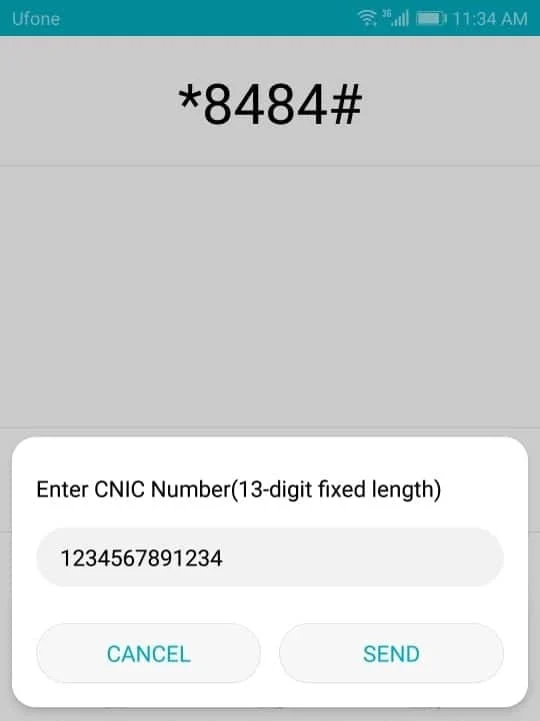
Type your 15-digit IMEI and send it via SMS to 8484. You’ll get an instant reply from PTA with your device status.
If your phone’s IMEI has been blocked by mistake or during import:
Your phone’s IMEI number is more than just a code—it’s your first line of defense against theft, fraud, and unauthorized usage. In a market where stolen or non-PTA approved phones are common, knowing how to locate, use, and verify your IMEI can save you from serious trouble. Always check your IMEI before making a purchase and report suspicious activity to the concerned authorities.
#IMEINumber #PTAApproval #MobileSecurity #DIRBS #PhoneTracking #StolenMobile #PTARegistration #IMEICheck #TechAwareness #PakistanMobileGuide