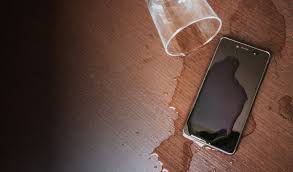
Water damage is one of the most common and frustrating issues that smartphone users face. Whether you dropped your phone in the sink, left it outside in the rain, or accidentally spilled a drink on it, the panic is real when water gets into your device. While smartphones are more water-resistant than ever, water damage can still occur, especially if the device is submerged for too long or is exposed to water that exceeds its resistance limits. If your phone gets water-damaged, don’t panic. Here’s a step-by-step guide on what you should do immediately to maximize the chances of saving your phone.
1. Power Off Your Phone Immediately
The first and most crucial step is to turn off your phone as soon as it gets wet. Powering it off helps to minimize the risk of a short circuit. If your phone remains on while water is inside, the internal components, such as the motherboard and screen, are at risk of further damage. Hold down the power button and switch the device off immediately. If your phone is unresponsive, avoid pressing buttons excessively, as it may worsen the damage.
2. Remove All Accessories and Detach the Case
If your phone has a protective case, remove it right away. Cases can trap water against the device, preventing it from drying out. Additionally, remove any accessories such as SIM cards, SD cards, and memory cards. These components are often less water-resistant than the phone itself and can get damaged. Place them in a dry area and allow them to dry separately.
3. Dry the Exterior of the Phone
Once your phone is powered off and stripped of accessories, it’s time to dry the exterior. Use a lint-free cloth or paper towel to gently dab the phone. Do not rub or press hard, as this could force water deeper into the device. Pay special attention to areas where water is likely to accumulate, such as the charging port, headphone jack, and volume buttons.
4. Use a Vacuum to Extract Water
If available, use a vacuum cleaner with a hose attachment to remove excess water from the phone’s ports. Hold the vacuum a few inches away from the phone to prevent damaging it. Vacuuming will help draw out the water from hard-to-reach areas. Avoid using a hairdryer or other heat sources, as they can cause additional damage to your device.
5. Avoid the Rice Myth
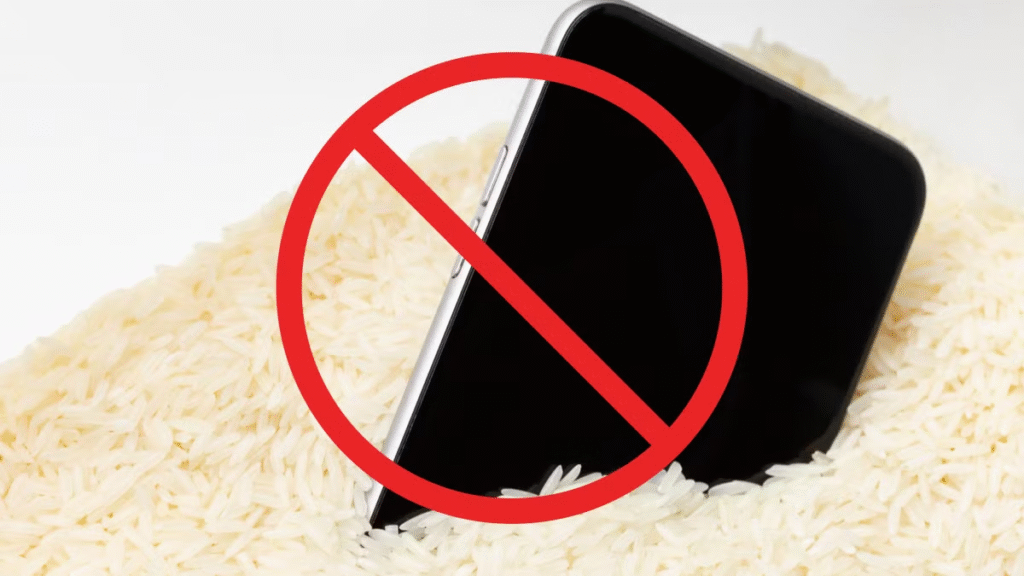
One of the oldest and most popular methods to dry out a water-damaged phone is placing it in rice. While rice may absorb some moisture, it’s not the most effective solution and could introduce dust or particles into the phone’s openings. Instead, consider using silica gel packets, which are much more effective in absorbing moisture. If you don’t have silica gel packets, opt for a dry, clean bag or container and leave your phone there for 24 to 48 hours.
6. Let It Dry in a Safe, Dry Area
Place your phone in a safe area, away from any moisture or dampness. It’s best to leave your phone in a cool, dry environment with good airflow. Avoid putting your phone in direct sunlight, as extreme heat can cause damage to the screen and other components. Let the device dry for at least 24 to 48 hours, and resist the temptation to check it too soon.
7. Check for Water Damage Indicators
Many smartphones are equipped with liquid damage indicators, small stickers located inside the phone that change color when exposed to water. Check these indicators to assess the extent of the water damage. If they have changed color, it’s a strong indication that water has entered the device, and repairs may be needed.

8. Power On Your Phone After Drying
After waiting the appropriate amount of time, it’s time to power on your phone. If it powers on normally, great! Check the screen, buttons, and other features to ensure everything is working properly. If there are issues, such as the screen not turning on, the touch interface malfunctioning, or sound problems, you may need to seek professional repair services.
9. Seek Professional Help if Necessary
If your phone does not power on, exhibits screen flickering, or has other malfunctioning parts, it’s time to consult a technician. Many repair shops offer services to repair water-damaged phones, and they might be able to replace components like the screen, motherboard, or charging port. Some manufacturers, such as Apple and Samsung, may offer water damage repair services under specific conditions, so it’s worth checking with them as well.
Conclusion
While water damage can be a stressful situation for any smartphone owner, following the steps above can significantly increase your chances of saving your phone. The key is acting quickly and avoiding common mistakes like using rice or exposing your phone to heat. If you’re unable to recover your phone through these steps, don’t hesitate to seek professional help. Remember, a little patience and careful handling can often save your device from permanent damage.
#WaterDamage #PhoneWaterDamage #SmartphoneCare #PhoneRepair #TechTips #SmartphoneTroubleshooting #WaterproofPhones #PhoneDamageRecovery #PhoneTips #MobilePhoneRepair #TechSupport #MobileTech #CellPhoneCare #FixWaterDamage #PhoneWaterproofing