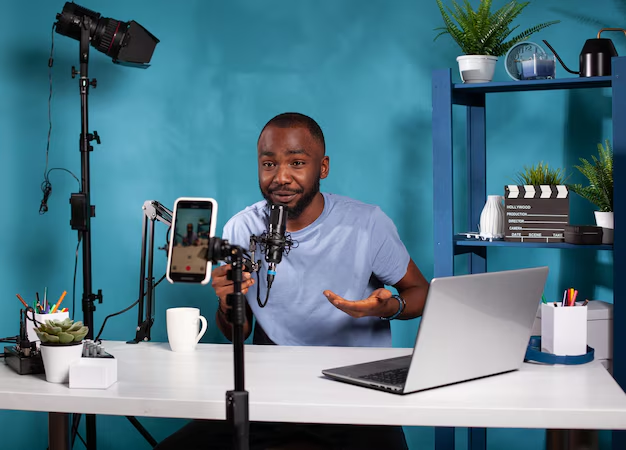
Creating engaging TikTok videos no longer requires a professional studio or expensive equipment. With just your smartphone, a few affordable accessories, and the right techniques, you can build a TikTok content studio right in your room. Whether you’re starting your journey or aiming to improve your content, here’s a step-by-step guide to setting up a functional TikTok studio using your phone.
1. Choose the Right Spot in Your Home
Your studio doesn’t need to be fancy — but it must have good lighting, a clean background, and quiet surroundings.
Ideal spots:
- A window-facing corner for natural daylight.
- A plain-colored wall or curtain backdrop.
- Areas with minimal noise or distractions.
Having a designated shooting spot helps maintain consistency and makes recording easier and quicker.
2. Invest in a Good Ring Light
Lighting is the most important element of TikTok content creation. Even with an entry-level phone, good lighting can drastically improve your video quality.
Why ring lights are popular:
- Even, shadow-free lighting on your face.
- Adjustable brightness and warmth.
- Built-in phone holders in most models.
Recommended sizes:
- 6-inch or 8-inch for desk setups.
- 10-inch or 12-inch for full-body or standing content.
Many affordable ring lights are available on Pakistani marketplaces with prices starting from Rs. 1,200.
3. Phone Stands & Tripods
Shaky footage or poor angles can ruin a great video. Investing in a tripod or adjustable phone stand is essential.
Types of stands to consider:
- Tabletop stand: For sitting or close-up videos.
- Floor tripod with ring light: Perfect for dancing or full-body videos.
- Gorilla tripod or flexible holder: Great for travel and outdoor content.
Look for stands with 360° rotation and height adjustment for versatility.
4. Use a Bluetooth Remote or Timer
When you’re recording solo, a Bluetooth shutter remote or your phone’s timer function can help avoid unnecessary movement.
Bluetooth remotes let you:
- Start and stop recording without touching the phone.
- Capture hands-free videos smoothly.
- Avoid shaky starts and cropped intros.
Most ring light kits already include a Bluetooth remote.
5. Set Up a Clean & Aesthetic Background
Even if you don’t have a full studio room, a tidy background adds professionalism to your content.
Ideas for simple backdrops:
- Plain white wall with a soft light effect.
- Fairy lights or LED strips for a creative vibe.
- Posters, plants, or a curtain setup for personality.
- Printed wallpaper or backdrop cloth (easily available online).
Keep clutter out of the frame to avoid distracting viewers.
6. Essential Editing Apps (Free & Paid)
Your content becomes more engaging when it’s well-edited. Luckily, plenty of mobile editing apps work perfectly on Android and iPhones.
Top apps for TikTok creators:
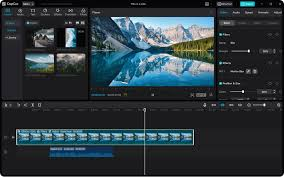
- CapCut (free): Transitions, templates, and effects.
- InShot: Easy trimming, filters, and music.
- VN Video Editor: Layering and advanced editing.
- KineMaster: For green screen effects and voiceovers.
- Lightroom Mobile: Enhances colors and aesthetics.
CapCut is especially popular because of its TikTok integration and trending template features.
7. Sound & Voice Quality
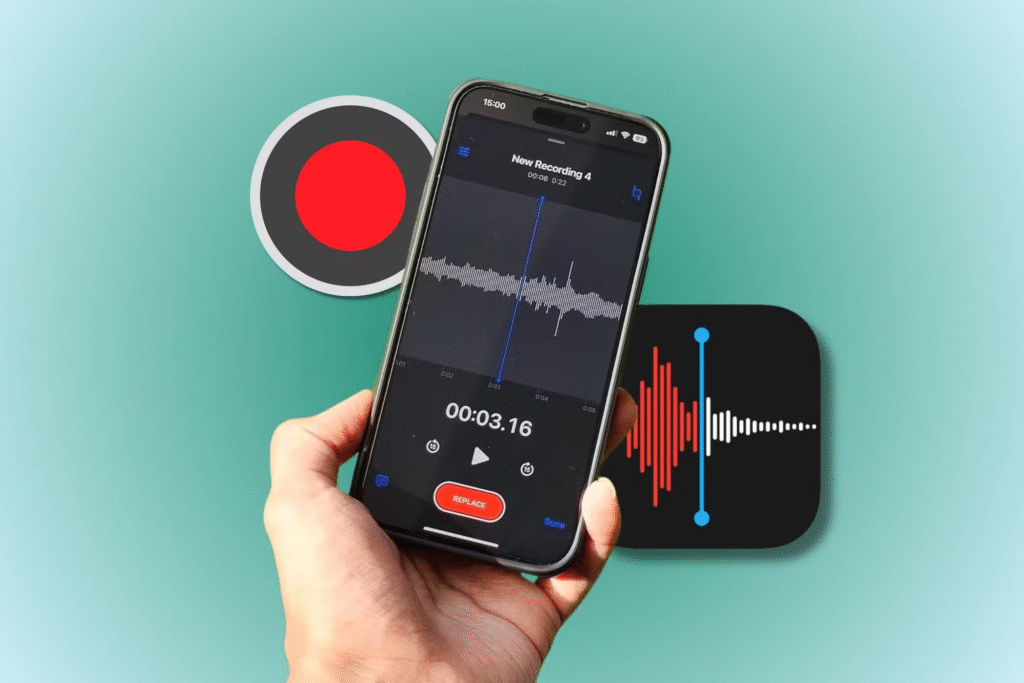
Although your phone mic is usually sufficient, poor audio can hurt engagement.
Improve audio by:
- Recording in quiet environments.
- Using a clip-on lavalier mic (Rs. 800–Rs. 1500).
- Applying noise reduction in CapCut or KineMaster.
- Avoiding fan and outdoor noise while recording.
Optional: Use voiceover tools inside TikTok for narrations.
8. Maximize Your Phone Settings
Even without a DSLR or high-end camera, your phone can produce excellent video if you optimize the settings.
Things to check:
- Set video to 1080p or 4K (if supported).
- Use 60fps for smoother motion shots.
- Lock focus and exposure on your face.
- Clean your camera lens before recording.
If your phone has manual controls in the camera app (Pro mode), you can adjust ISO and white balance for better results.
9. Affordable Props & Accessories
To add creativity, use small props that match your niche. For example:
- Makeup kits for beauty content.
- Phone screen mirror for unboxing reactions.
- Chalkboard or signage boards.
- Color-changing bulbs or RGB lights for mood.
Props don’t need to be expensive — even basic items around your house can boost content appeal.
10. Bonus: Create a Daily Filming Routine
Consistency is key on TikTok. With your mini-studio ready, set a content calendar or daily filming hour to build habits and stay active.
Tips for staying productive:
- Record in batches (film 3–5 videos in one sitting).
- Use trending audio and hashtags.
- Engage with followers through replies and Q&A videos.
Conclusion
You don’t need a massive budget to become a successful TikTok creator in Pakistan. With a good ring light, a stable stand, smart phone settings, and a bit of creativity, your home can be transformed into a full-functioning TikTok studio. Focus on clean visuals, quality lighting, and trending content, and your videos will speak for themselves.
#TikTokStudio #RingLightPakistan #PhoneContentCreation #TikTokSetupGuide #CapCutEditing #ContentWithPhone #TikTokPakistan #MobileVideography #HomeStudioSetup