Choosing the Right Smartphone for Older Adults
Finding the perfect phone for seniors requires careful consideration of specific needs and abilities. The ideal device should combine simplicity with essential functionality, offering accessibility without compromising on important features. As technology evolves, manufacturers are increasingly recognizing the importance of creating senior-friendly smartphones that bridge the digital divide.
Key Features That Matter Most for Senior Users
- Large, Clear Displays
- Minimum 6-inch screen size for better visibility
- High contrast ratios and adjustable text sizes
- Anti-glare coating for outdoor readability
- Simplified User Interfaces
- Easy-to-navigate menus with logical organization
- Option for basic mode or senior mode
- Clear, consistent icon designs
- Enhanced Audio Capabilities
- Powerful speakers (minimum 90dB loudness)
- Hearing aid compatibility (HAC rating of M3/T3 or better)
- Adjustable tone settings for voice clarity
- Emergency Features
- Dedicated SOS buttons
- Fall detection technology
- Emergency contact shortcuts
- Long Battery Life
- Minimum 4,000mAh capacity
- Power-saving modes
- Clear battery percentage display
Top 5 Senior-Friendly Smartphones
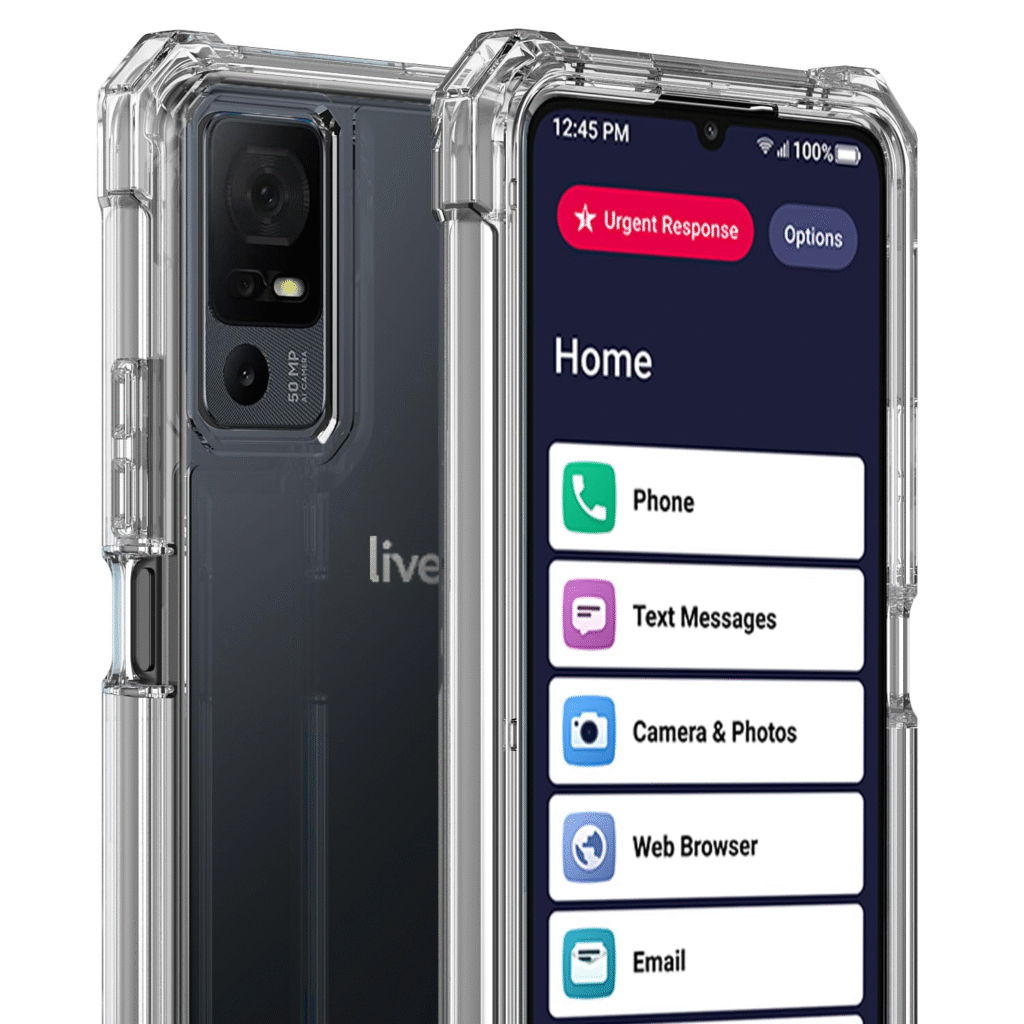
1. Jitterbug Smart4 (Best for Complete Beginners)
- Why it stands out: Designed specifically for seniors with a simplified interface
- Key specs: 6.75″ HD+ display, 13MP camera, 32GB storage
- Special features: 24/7 urgent response service, magnifier tool
2. Samsung Galaxy A14 5G (Best Value Smartphone)
- Why it stands out: Combines affordability with essential features
- Key specs: 6.6″ FHD+ display, 5,000mAh battery, 64GB storage
- Special features: Easy Mode, Extra Loud mode, emergency sharing
3. iPhone SE (2022) (Best for Apple Ecosystem)
- Why it stands out: Familiar iOS interface with powerful senior features
- Key specs: 4.7″ Retina HD display, A15 Bionic chip, 64GB storage
- Special features: Emergency SOS, Medical ID, magnifier function
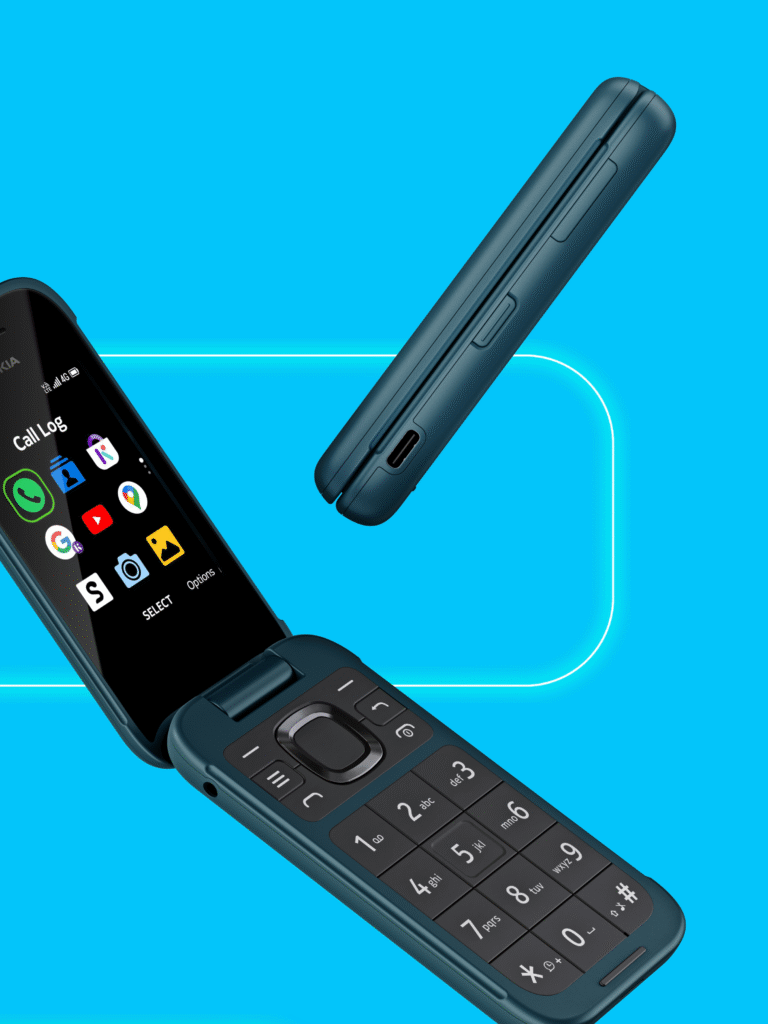
4. Nokia 2780 Flip (Best Basic Phone)
- Why it stands out: Traditional flip phone design with modern features
- Key specs: 2.7″ main display, 1,450mAh battery, 4GB storage
- Special features: Large buttons, hearing aid compatible, emergency button
5. Google Pixel 7a (Best Camera for Seniors)
- Why it stands out: Excellent camera with simple controls
- Key specs: 6.1″ OLED display, 4,385mAh battery, 128GB storage
- Special features: Emergency Sharing, Sound Amplifier, Live Translate
Essential Accessibility Features to Look For
- Visual Assistance Tools
- Screen magnifiers
- High contrast text modes
- Dark mode options
- Color correction settings
- Hearing Enhancements
- Sound amplifiers
- Mono audio output
- Subtitle options for media
- Custom vibration patterns
- Motor Skill Accommodations
- Touch-and-hold delay settings
- Swipe alternatives for difficult gestures
- Voice command integration
- Stylus compatibility
- Cognitive Support Features
- Medication reminders
- Appointment alerts
- Simple contact lists
- Step-by-step tutorials
Setup Tips for Senior Smartphones
- Pre-configure Important Settings
- Set default text size to at least 18pt
- Enable hearing aid mode if needed
- Adjust screen timeout to 2-3 minutes
- Configure emergency contacts
- Organize the Home Screen
- Place essential apps front and center
- Create large widget shortcuts for key functions
- Remove unused or confusing apps
- Install Helpful Senior Apps
- Pill reminder applications
- Simple weather widgets
- Large-button dialers
- Magnifying glass apps
- Enable Remote Assistance
- Set up screen sharing options
- Install remote help applications
- Create a family link account if needed
Maintenance and Support Considerations
- Protection Plans
- Extended warranties
- Accident protection
- Screen replacement options
- Ongoing Support
- Local repair options
- Carrier support availability
- Family tech support setup
- Regular Maintenance
- Monthly storage cleanups
- Software update schedules
- Battery health monitoring
Making the Final Decision
When selecting a phone for seniors, prioritize:
- Ease of use over advanced features
- Reliability over cutting-edge specs
- Accessibility over aesthetic design
- Safety features over entertainment options
The best phone ultimately depends on the individual’s:
- Technical comfort level
- Physical abilities
- Budget considerations
- Specific health needs
By focusing on these essential factors and utilizing available accessibility features, seniors can enjoy the benefits of modern smartphones without unnecessary complexity. Whether opting for a simplified smartphone or a feature-rich device with accessibility options, today’s market offers excellent choices for older adults at every tech-skill level.
#SeniorTech #AccessiblePhones #ElderlyTechnology #SmartphonesForSeniors #EasyToUsePhones #SeniorSafety #AccessibilityMatters #TechForAll #SeniorLiving #PhoneGuide