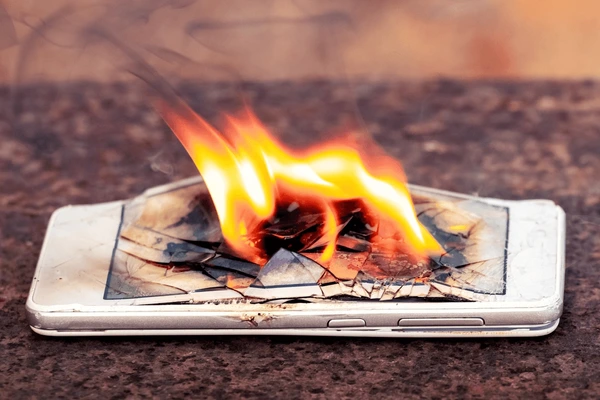
Smartphones have become essential in our daily lives, but overheating remains a common and frustrating issue. An overheating phone not only slows down performance but can also damage internal components and reduce battery lifespan. Understanding why phones overheat and how to prevent it can help keep your device running smoothly.
Here are the top 5 reasons phones overheat—along with practical fixes to keep your device cool.
1. Intensive Usage & High-Performance Apps
Why It Happens
Running processor-heavy apps (like gaming, video editing, or augmented reality) for extended periods forces your phone’s CPU and GPU to work harder, generating excess heat.
How to Fix It
- Limit gaming/video sessions – Take breaks every 30-45 minutes.
- Close background apps – Use your phone’s task manager to stop unused apps.
- Lower graphics settings – Reduce game resolution and frame rates.
- Avoid multitasking – Running multiple apps simultaneously strains the processor.
2. Poor Ventilation & External Heat Exposure
Why It Happens
Phones need airflow to dissipate heat. Blocking vents (by placing them on soft surfaces like beds or under pillows) or exposing them to direct sunlight traps heat inside.
How to Fix It
- Keep your phone in the shade – Avoid leaving it in hot cars or under sunlight.
- Remove thick cases – Some protective cases trap heat; switch to a ventilated one.
- Place on a hard, cool surface – Helps heat dissipate faster than fabric or cushions.
- Avoid charging while gaming – Charging + heavy use doubles heat buildup.
3. Outdated Software & Background Processes
Why It Happens
Old software can have inefficient code that makes the processor work harder. Background apps (like social media, GPS, or auto-updates) also drain resources unnecessarily.
How to Fix It
- Update your OS & apps – Manufacturers release optimizations to reduce overheating.
- Disable auto-sync & location services – Turn them on only when needed.
- Clear cache regularly – Junk files force the CPU to work harder.
- Factory reset if needed – Helps remove hidden background processes.
4. Battery Degradation & Fast Charging
Why It Happens
As batteries age, they become less efficient and generate more heat. Fast charging (especially with low-quality chargers) also increases internal temperatures.
How to Fix It
- Use original chargers – Cheap chargers may overvolt the battery.
- Avoid wireless charging for long periods – Generates more heat than wired charging.
- Replace old batteries – If your phone heats up even during light use, the battery may need replacement.
- Charge in a cool environment – High ambient temperatures worsen battery heat.

5. Malware & Rogue Apps
Why It Happens
Malicious apps or poorly optimized software can run hidden processes, overloading the CPU and causing abnormal heating.
How to Fix It
- Scan for malware – Use trusted antivirus apps like Malwarebytes or Bitdefender.
- Uninstall suspicious apps – Check battery usage in settings for power-hungry apps.
- Reset app permissions – Some apps abuse background access.
- Avoid sideloading apps – Unofficial app stores often host malware.
Bonus Tips to Prevent Overheating
✔ Enable battery saver mode – Limits background activity.
✔ Use airplane mode in poor signal areas – Weak signals make phones work harder.
✔ Avoid extreme temperatures – Both hot and cold environments harm battery life.
✔ Keep your phone clean – Dust in charging ports or speakers can trap heat.
When to Seek Professional Help
If your phone frequently overheats even with light use, shuts down unexpectedly, or has a swollen battery, visit a repair center immediately. These could indicate hardware failure needing expert attention.
#PhoneOverheating #CoolDownYourPhone #BatteryHealth #PhoneMaintenance #TechTips #SmartphoneProblems #PhoneHeatingFix #PhoneCare #GamingPhone #BatterySafety