Smartphone technology continues to evolve, and one of the most highlighted features in modern devices is screen resolution. From Full HD to Quad HD and even 4K displays, manufacturers often promote higher resolution as a sign of premium quality. But while sharper screens look stunning, they come with trade-offs—especially when it comes to battery life.
Many users wonder: does higher screen resolution significantly affect battery performance? The short answer is yes, but the details are more nuanced. In this article, we’ll break down how screen resolution impacts your smartphone’s battery life and what you can do to manage it.
What Is Screen Resolution?
Screen resolution refers to the number of pixels displayed on the screen. The most common resolutions in smartphones include:
- HD (720p): 1280 x 720 pixels
- Full HD (1080p): 1920 x 1080 pixels
- Quad HD (1440p): 2560 x 1440 pixels
- 4K (2160p): 3840 x 2160 pixels
Higher resolutions pack more pixels into the same screen size, resulting in sharper images and text. While this improves visual quality, it also demands more power to render graphics, especially during gaming, video playback, and multitasking.
How Higher Resolution Affects Battery Life
1. Increased Power Demand from GPU and CPU
Higher resolution screens require your phone’s graphics processing unit (GPU) and central processing unit (CPU) to work harder. More pixels mean more data needs to be processed for every frame rendered. This results in increased power consumption and reduced battery efficiency over time.
For example, a phone running at 1440p resolution will draw more power than the same phone operating at 1080p, especially during high-performance tasks.
2. Backlight and Brightness Levels
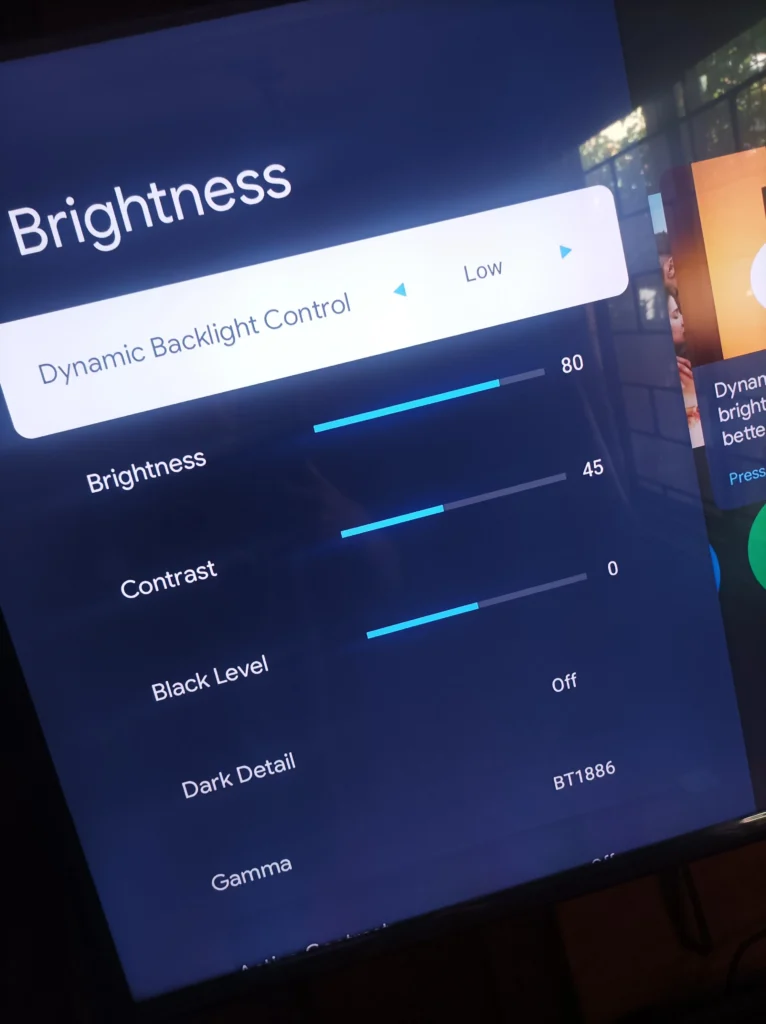
While OLED screens can turn off individual pixels to save power, LCDs use a constant backlight. In high-resolution LCDs, the backlight has to shine through more pixels, which slightly increases power draw. For both types, a higher pixel density often leads users to increase screen brightness, further draining the battery.
3. Refresh Rate and Resolution Combination
Modern smartphones not only offer higher resolutions but also high refresh rates—90Hz, 120Hz, or even 144Hz. A higher refresh rate makes motion smoother but also increases GPU workload. When combined with a Quad HD or 4K resolution, the battery drain can be substantial.
Some flagship phones let you switch between Full HD at 120Hz or Quad HD at 60Hz to manage power more efficiently.
4. Content Type Matters
Not all content utilizes high resolution. Watching a 720p video on a 4K screen won’t drain as much power compared to watching native 4K content. However, if you often stream videos in high definition or play graphically intense games, your high-res screen will consume considerably more energy.
Dynamic Resolution Scaling: A Smart Solution
Many modern smartphones include adaptive resolution or dynamic scaling features. These technologies allow the phone to reduce resolution automatically during less demanding tasks, like reading or messaging, and return to full resolution when needed.
Using these settings can extend your battery life significantly without sacrificing day-to-day usability.
How to Optimize Battery Life Without Sacrificing Quality
Even if your phone has a high-resolution display, you don’t have to suffer poor battery life. Here are a few tips to manage power efficiently:
- Lower the screen resolution in settings if your phone allows it.
- Reduce screen brightness and use auto-brightness to adapt to ambient light.
- Limit high refresh rate usage if not needed all the time.
- Use dark mode, especially on OLED screens, to save energy by turning off black pixels.
- Close background apps that utilize GPU resources unnecessarily.
- Enable battery saver mode, which often reduces resolution and refresh rate automatically.
Do You Really Need 4K on a Phone?
While 4K resolution sounds appealing, it’s often overkill for small screens. Most users won’t notice a significant difference between 1080p and 1440p on screens smaller than 6.5 inches. Unless you’re using your device for video editing or consuming a lot of ultra-HD content, a Full HD or Quad HD display offers an ideal balance between sharp visuals and battery efficiency.
Future of Display Technology and Battery Life
Smartphone manufacturers are continually innovating to balance display quality with battery optimization. Technologies like LTPO (Low-Temperature Polycrystalline Oxide) displays allow for variable refresh rates, dynamically adjusting from 1Hz to 120Hz depending on usage. This helps conserve battery life without compromising visual experience.
Additionally, software-based enhancements like AI-driven brightness control and power management systems are making high-resolution phones more efficient than ever before.
In conclusion, while screen resolution does have a real impact on battery life, smart settings and responsible usage can minimize this trade-off. Before buying a phone, consider how important screen clarity is versus how long you want your battery to last. For most users, a good Full HD display offers the best mix of sharp visuals and energy efficiency.
#screenresolution #batteryoptimization #smartphonetips #displaysettings #techguide #phonelifehacks #mobileperformance #batterylifesaver #oledvslcd #androidiossettings